


 How to
Use
How to
Use


- Health & Beauty Protective Items Health & Medical Beauty & Personal Care
- Bags, Shoes & Accessories Luggage, Bags & Cases Shoes & Accessories
- Apparel, Textiles & Accessories Apparel Textile & Leather Product Fashion Accessories Timepieces, Jewelry, Eyewear
- Electronics Industrial Computer & Accessories Home Appliance Consumer Electronic Security & Protection
- Electronic Equipment, Component & Telecoms Electronic Equipment & Supplies Telecommunication
- Home, Lights & Construction Construction & Real Estate Home & Garden Lights & Lighting Furniture
- Gifts, Sports & Toys Gifts & Crafts Toys & Hobbies Sports & Entertainment
- Agriculture & Food Agriculture Food & Beverage
- Auto & Transportation Automobiles & Motorcycles Transportation
- Machinery, Industrial Parts & Tools Machinery Industrial Parts & Fabrication Services Tools Hardware Measurement & Analysis Instruments
- Metallurgy, Chemicals, Rubber & Plastics Minerals & Metallurgy Chemicals Rubber & Plastics Energy Environment
- Packaging, Advertising & Office Packaging & Printing Office & School Supplies Service Equipment
- K-Service Innotech Contents ICT Technology/Engineering
- ETC ETC




Smart Golf Score Counter
-
Payment
L/C(sight) , OT , T/T , WK
-
MOQ
10 Set
-
Supply Details
See documentation
-
Country of sale
Asia, Americas, Europe, Middle East, World Wide
-
PRICE
-
EXW
Depend on quantity
-
ITEM SPECIFICS
-
Brand
Model Model PUREbetter U
-
origin
China
-
Size(Capacity)
W:39.6㎜ × L:39.6㎜ × H:10.6㎜
-
Material
Aluminum, Polycarbonate, Silicone
-
Color
Silver, Pink
-
Weight
Counter 14.6g
-
Function
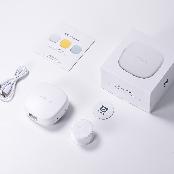
"Digital Golf Score Counter with Accessory Case"
-
Style
portable
-
Expiry Date
No expiration date
-
Condition
Lithium Battery (3V), 210mA, 9mA
-
Gender
unisex
-
age-appropriate
Youth ~ Adult
PRODUCT DESCRIPTION
Product Usage
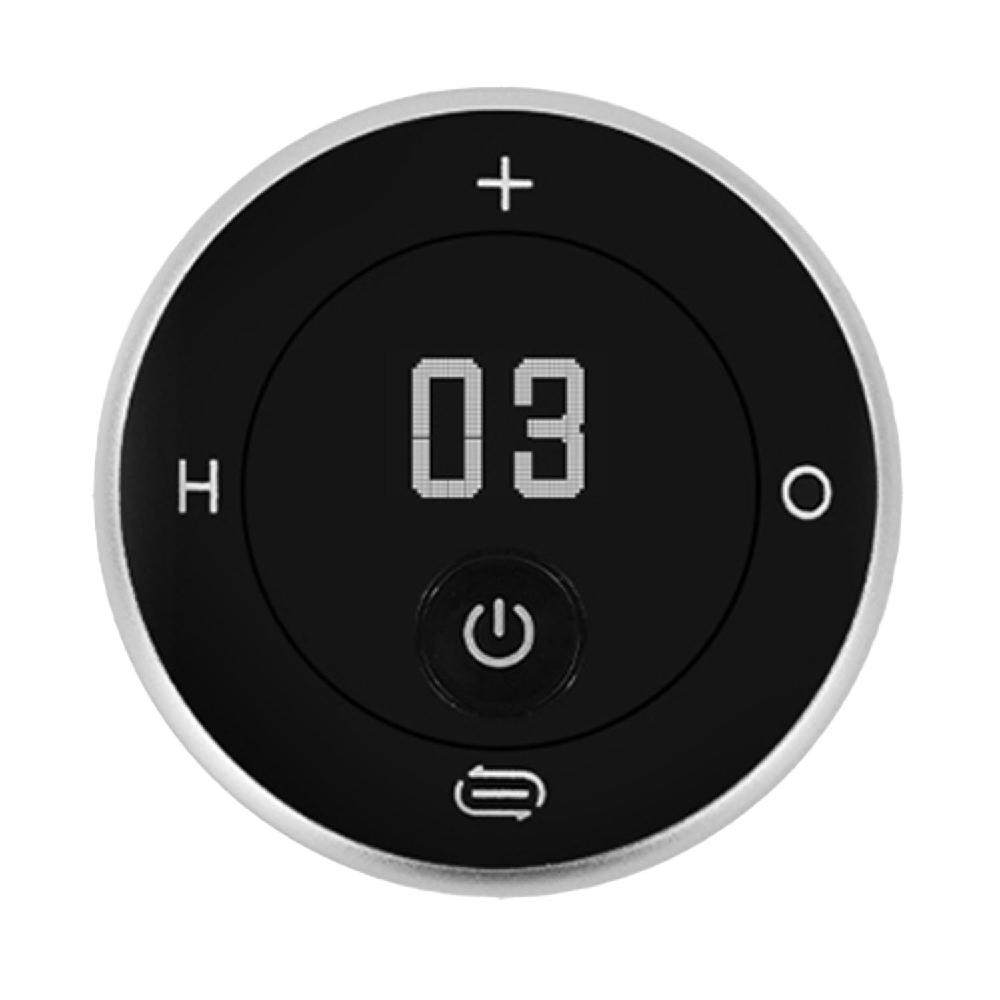
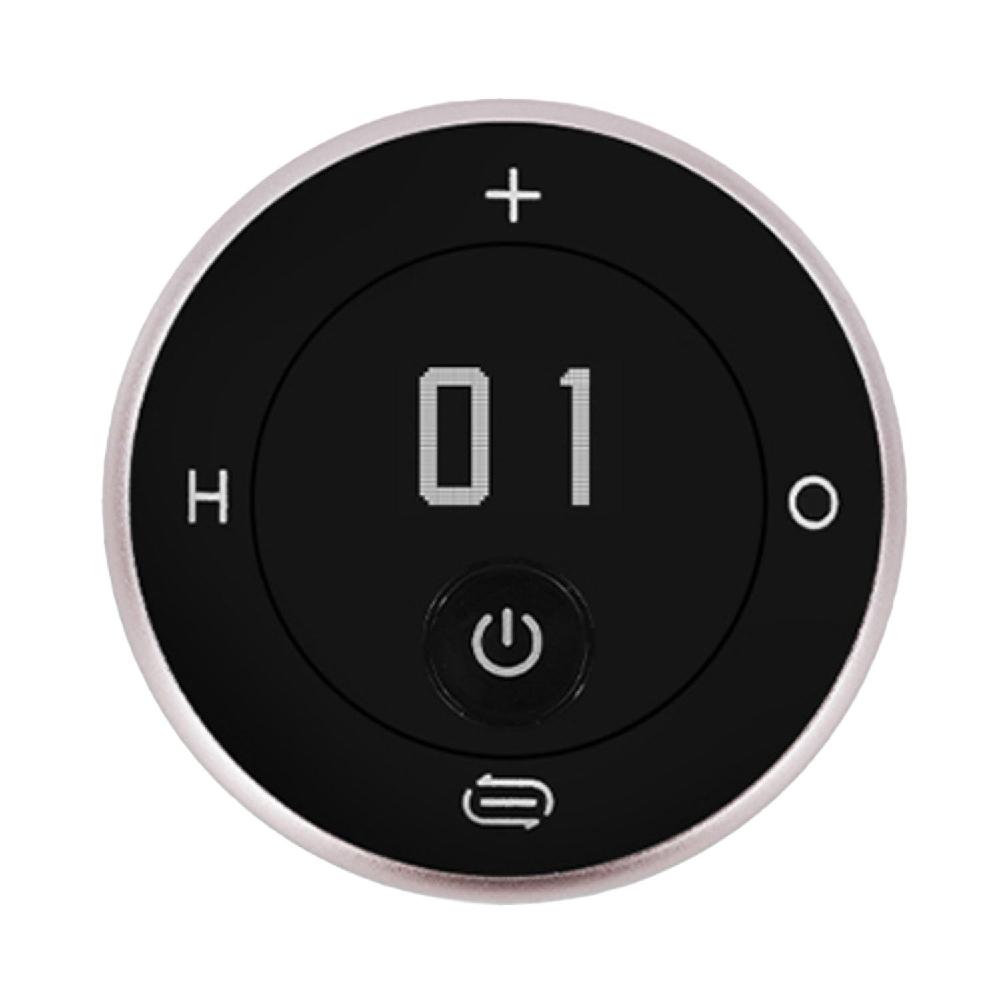
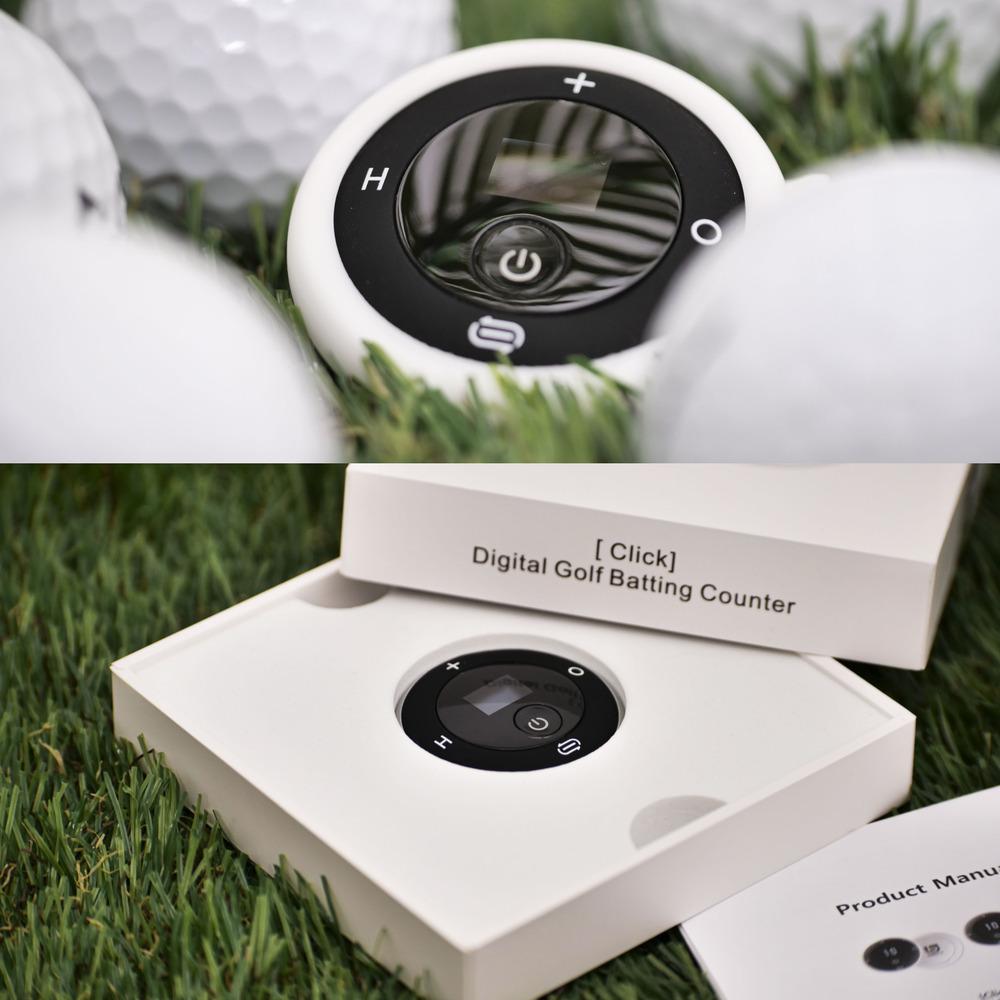
(1) Using Digital Counters
• Remove the battery insulation film from the inside of the battery cover.
(So that the built-in replaceable battery works!)
• Press and hold the power button. (about 3 seconds)
• If you hit the golf ball once, press the ‘+’ button once.
• If the hit ball falls into a hazard, press the ‘H’ button once.
(The number of strokes and the number of penalty strokes are calculated automatically
at the same time. Total of 2 strokes)
• If the hit ball becomes ‘OB’, press the ‘O’ button once.
(2 strokes are automatically calculated at the same time as the number of strokes and penalty.
Total 3 strokes)
• If you accidentally press ‘+’ / ‘H’ / ‘O’ button, press the ‘ ’ button to subtract the wrongly
counted number.
• When one hole is finished, press and hold ‘ ‘ button (about 3 seconds) to reset the number
on the screen to ’00’.
• If you do not use it for ‘10 seconds’, the screen turns off automatically.
Afterwards, if you press one of ‘Power’ / ‘+’ / ‘H’ / ‘O’ button for counting again, the screen
turns on again.
• To turn the power off completely, press and hold the ‘Power’ button. (about 3 seconds)
※ Counting numbers are displayed only from '00' to '99'.
※ Tip) Did you get conceded on the green? Don’t forget to press the ‘+’ button once.
(2) Battery saving and replacement reminder
• If the counter is not used for 10 seconds even when the power is on, the screen showing the
number is automatically turned off.
• If the screen flickers during use, replace the battery before starting the next round.
(1) Using Digital Counters
• Remove the battery insulation film from the inside of the battery cover.
(So that the built-in replaceable battery works!)
• Press and hold the power button. (about 3 seconds)
• If you hit the golf ball once, press the ‘+’ button once.
• If the hit ball falls into a hazard, press the ‘H’ button once.
(The number of strokes and the number of penalty strokes are calculated automatically
at the same time. Total of 2 strokes)
• If the hit ball becomes ‘OB’, press the ‘O’ button once.
(2 strokes are automatically calculated at the same time as the number of strokes and penalty.
Total 3 strokes)
• If you accidentally press ‘+’ / ‘H’ / ‘O’ button, press the ‘ ’ button to subtract the wrongly
counted number.
• When one hole is finished, press and hold ‘ ‘ button (about 3 seconds) to reset the number
on the screen to ’00’.
• If you do not use it for ‘10 seconds’, the screen turns off automatically.
Afterwards, if you press one of ‘Power’ / ‘+’ / ‘H’ / ‘O’ button for counting again, the screen
turns on again.
• To turn the power off completely, press and hold the ‘Power’ button. (about 3 seconds)
※ Counting numbers are displayed only from '00' to '99'.
※ Tip) Did you get conceded on the green? Don’t forget to press the ‘+’ button once.
(2) Battery saving and replacement reminder
• If the counter is not used for 10 seconds even when the power is on, the screen showing the
number is automatically turned off.
• If the screen flickers during use, replace the battery before starting the next round.
★Now, anyone, even beginner golfers, can record golf scores easily and accurately.
★The OLED display displays numbers, so you can see it very well even in bright days and dark nights.
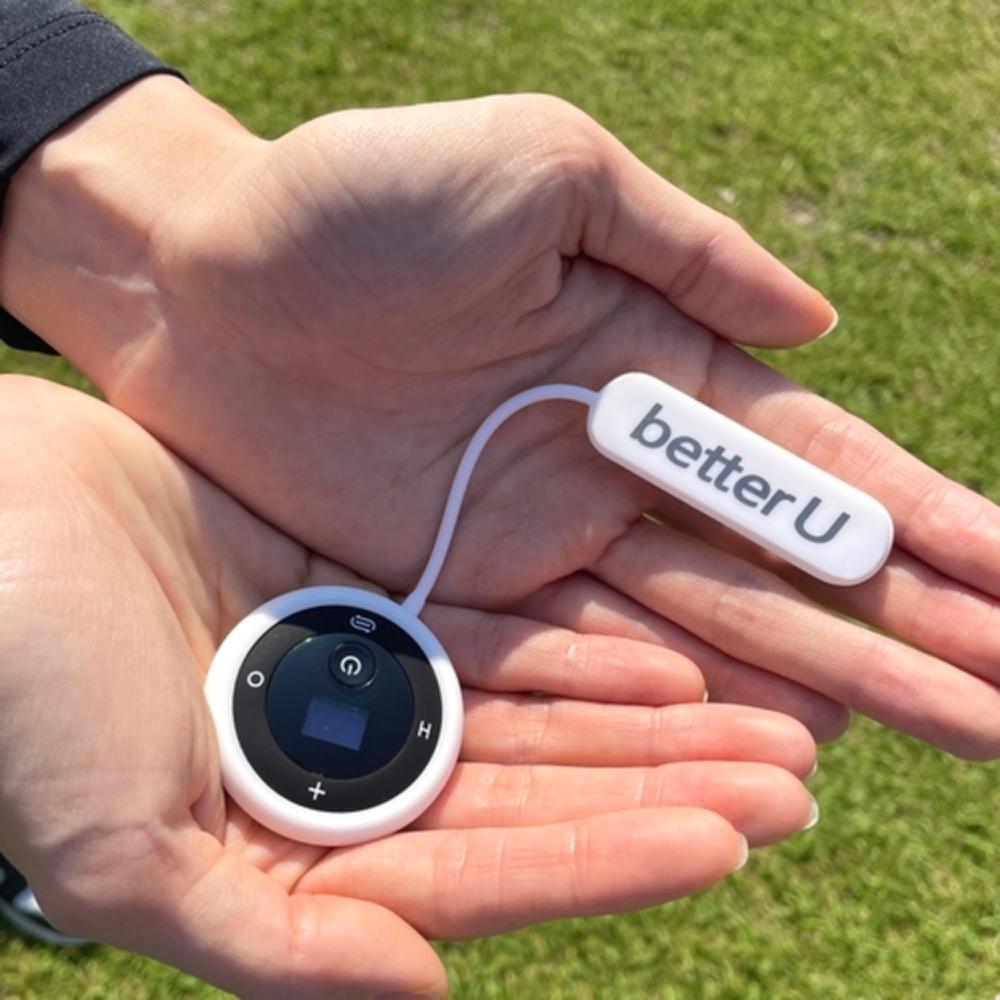
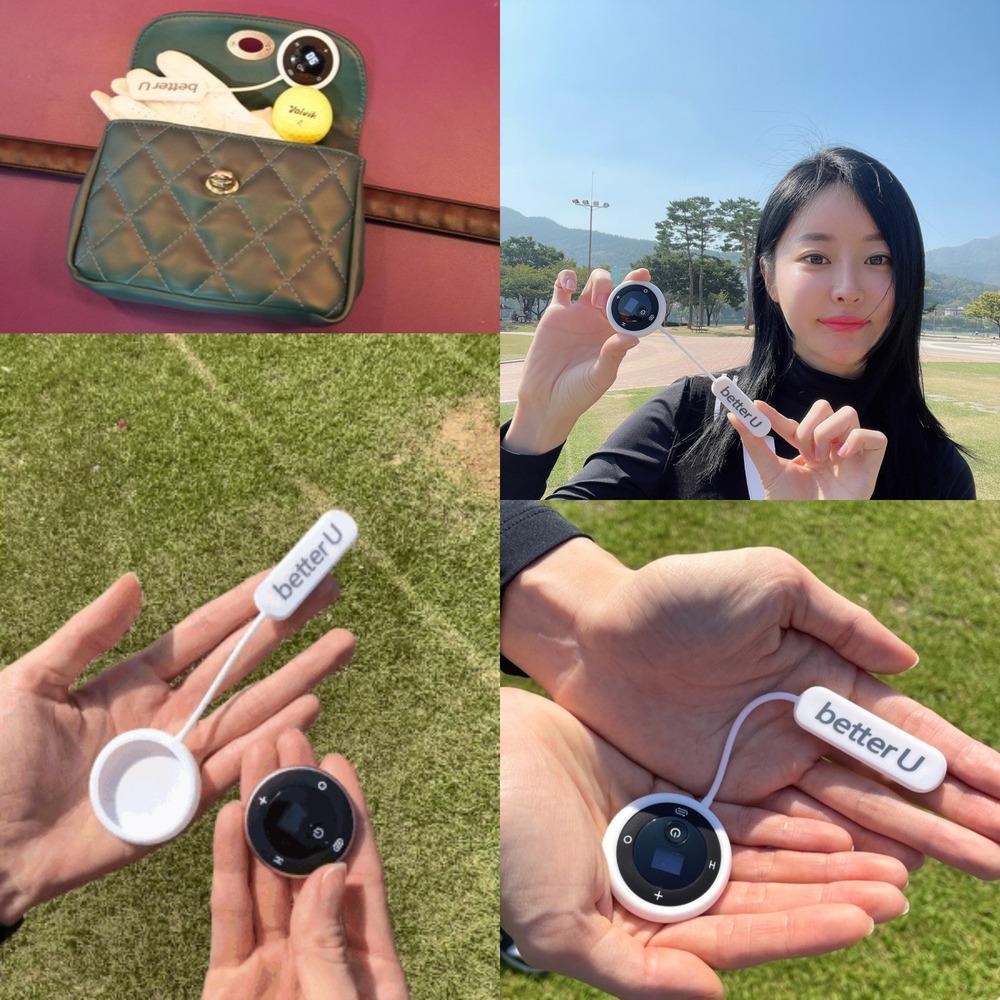
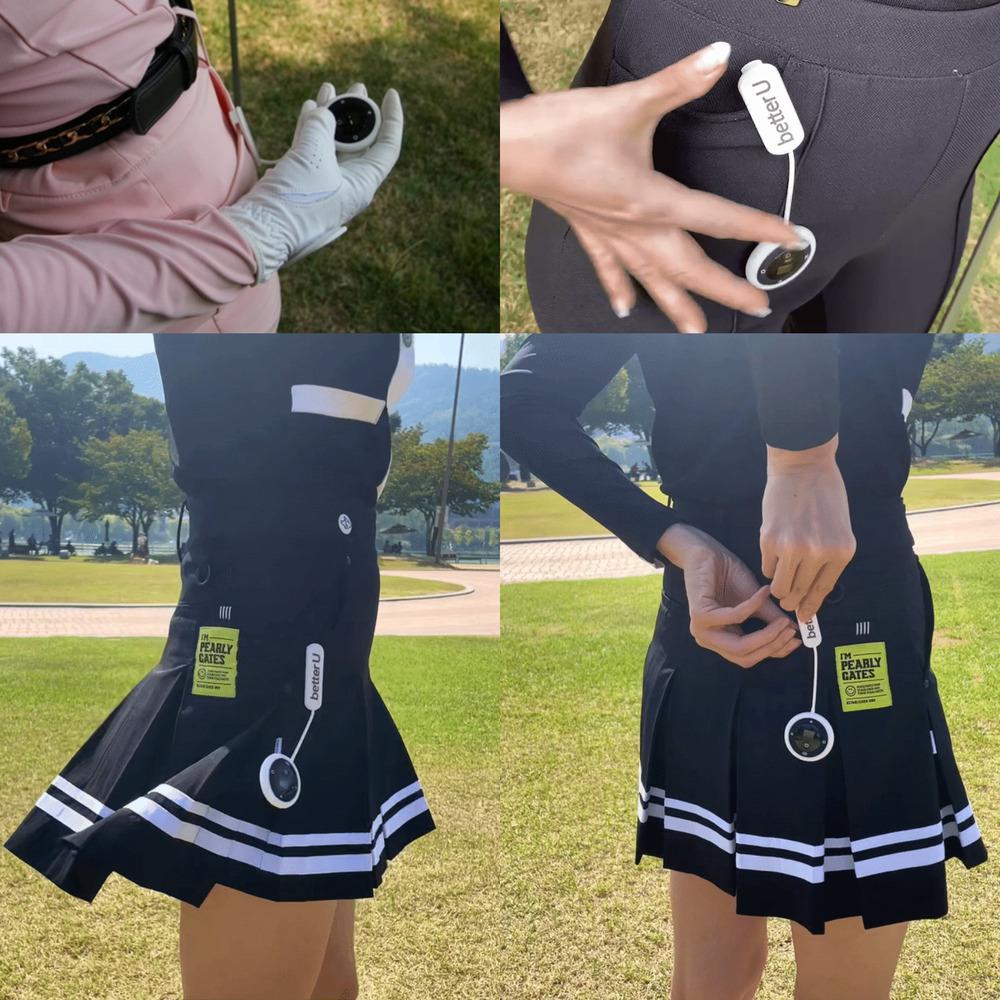
★It is more convenient to use it by attaching it to a dedicated accessory, and if you wear it with a clip on it, it will never fall off and you will not lose it. And, it's a bonus to complete a nice and
sophisticated golf fashion.
★The OLED display displays numbers, so you can see it very well even in bright days and dark nights.
★It is more convenient to use it by attaching it to a dedicated accessory, and if you wear it with a clip on it, it will never fall off and you will not lose it. And, it's a bonus to complete a nice and
sophisticated golf fashion.
PAYMENTS DETAILS
This supplier supports payments for offline orders
- Letter of Credit : L/C(sight)
- WK
- OT
- Telegraphic Transfer : T/T
- Name : MOYOUNG KIM
SHIPPING
Shipping from :
- 602 Dongtangiheung-ro, Hwaseong-si, Gyeonggi-do (18469)
better U
better U
Seller_MailThe person in charge
MOYOUNG KIMAddress
602 Dongtangiheung-ro, Hwaseong-si, Gyeonggi-do (18469)
Introduction
better U, born in 2020, started with a heart to dedicate ourselves to health, laughter and a comfortable life.
better U means trying for better you and for better your life.
better U's products, which pursue a warm and sophisticated style, contain the beautiful Korean sentiment.
We give you something special about your style and happiness in everyday life.
We make better your!
-
- Business Type :
- Manufacturer
-
- Main Product :
- Portable Razor Sterilizer & Hanger, Digital Golf Score Counter
-
- Established :
Please suggest a variety of your ideas such as design, impact, enhancements, etc
Captcha Required
Please enter the text on the left image to prevent automatic input.
0 / 4000
질문이 없습니다.
CUSTOMER REVIEWS (0)

COMPARISON TO SIMILAR ITEMS more
- No Items
- supplier level
- MEMBER
- better U
- Seller's Store url
- Response Level
★ ★ ★ ★ ★

- Supplier Level
★ ★ ★ ★ ★
- Transaction Level
★ ★ ★ ★ ★
SUPPLIER BEST